Friday, February 1, 2019

Your personal Google+ account is going away on April 2, 2019

You've received this email because you have a consumer (personal) Google+ account or you manage a Google+ page.

In December 2018, we announced our decision to shut down Google+ for consumers in April 2019 due to low usage and challenges involved in maintaining a successful product that meets consumers' expectations. We want to thank you for being part of Google+ and provide next steps, including how to download your photos and other content.

On April 2nd, your Google+ account and any Google+ pages you created will be shut down and we will begin deleting content from consumer Google+ accounts. Photos and videos from Google+ in your Album Archive and your Google+ pages will also be deleted. You can download and save your content, just make sure to do so before April. Note that photos and videos backed up in Google Photos will not be deleted.

The process of deleting content from consumer Google+ accounts, Google+ Pages, and Album Archive will take a few months, and content may remain through this time. For example, users may still see parts of their Google+ account via activity log and some consumer Google+ content may remain visible to G Suite users until consumer Google+ is deleted.

As early as February 4th, you will no longer be able to create new Google+ profiles, pages, communities or events.

See the full FAQ for more details and updates leading up to the shutdown.

If you're a Google+ Community owner or moderator, you may download and save your data for your Google+ Community. Starting early March 2019, additional data will be available for download, including author, body, and photos for every community post in a public community. Learn more

If you sign in to sites and apps using the Google+ Sign-in button, these buttons will stop working in the coming weeks but in some cases may be replaced by a Google Sign-in button. You'll still be able to sign in with your Google Account wherever you see Google Sign-in buttons. Learn more

If you've used Google+ for comments on your own or other sites, this feature will be removed from Blogger by February 4th and other sites by March 7th. All your Google+ comments on all sites will be deleted starting April 2, 2019. Learn more

If you're a G Suite customer, Google+ for your G Suite account should remain active. Contact your G Suite administrator for more details. You can also expect a new look and new features soon. Learn more

If you're a developer using Google+ APIs or Google+ Sign-in, click here to see how this will impact you.

From all of us on the Google+ team, thank you for making Google+ such a special place. We are grateful for the talented group of artists, community builders, and thought leaders who made Google+ their home. It would not have been the same without your passion and dedication.

Google LLC 1600 Amphitheatre Parkway, Mountain View, CA 94043

You have received this mandatory email service announcement to update you about important changes to your Google+ Page, product or account.


Tuesday, August 28, 2018

Comment subscription request from 'ristoph2s'

Hi, robertallen1245@gmail.com! It’s been a while. We would like to confirm that you still want to receive email notifications when new comments on blog ristoph2s have been published.
Please click the Maintain Subscription link below to continue receiving new comment email notifications from this blog. If you don’t want these email notifications, you can just ignore this message, or click the Decline link below.

If you want to stop receiving comment email notifications for this blog, you can click the opt-out link here or in any of the notification emails.

Maintain Subscription
Decline

Tuesday, March 14, 2017

#SeeSomethingNew Discover new YouTube channels

                                                                                                                                                                                                                                                                                                                                                                                                                                                                                                                
Youtube Banner
  8 YouTube channels you shouldn't miss  
  You have your favorite TV channels, now find and watch your favorite YouTube channels. The options are limitless. Follow India's most popular YouTube channels covering everything from Cooking to Comedy and Tech Reviews to Music.  


Guide to Indian Weddings
Being Indian
Watch Now 1,218,487 fans
fans
 
COOKING
CookingShooking
Watch Now 418,536 fans
fans


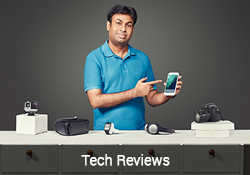
TECH
Geeky Ranjit
Watch Now 713,429 fans
fans
 
COOKING
Nisha Madhulika
Watch Now 1,489,033 fans
fans


MUSIC
SANAM
Watch Now 1,500,756 fans
fans
 
MUSIC
Shirley Setia
Watch Now 806,769 fans
fans


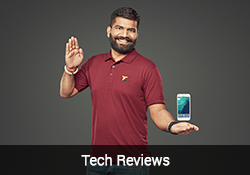
TECH
Technical Guruji
Watch Now 1,024,593 fans
fans
 
MUSIC
Vidya Vox
Watch Now 1,640,508 fans
fans


Continue to #SeeSomethingNew, connect with us
 
facebook twitter google_plus youtube
2017 YouTube LLC, 901 Cherry Avenue, San Bruno, CA 94066
As a YouTube user, this email was sent to robertallen1245@gmail.com to share general updates, announcements, and videos. If you do not wish to receive such emails in the future, please unsubscribe here. You can also change your preferences by visiting your Email Options in your YouTube account at www.youtube.com/account_notifications.
                                             

Wednesday, December 9, 2015

YouTube Rewind 2015 is here! 🎉

View email in a web browser

YouTube Broadcast  Broadcast
  Rewind 2015

It was a crazy year – crazier than walking into a house filled to the brim with plastic balls! We saw a policeman's take on T. Swift. We saw three of our favourite funny men get down like full-blown DIVAS. And we learned that beneath the labels, we're all just humans that love to love. Now get ready, 'cause it's time to whip and nae nae all over this year's biggest videos with Rewind 2015.

And to always stay in the know, visit the new trending tab every day for the hottest videos on YouTube.

#YouTubeRewind

© 2015 Google Inc. 1600 Amphitheatre Parkway, Mountain View, CA 94043

This email was sent to RobertAllen1245@gmail.com because you indicated that you are willing to receive occasional YouTube product-related emails. If you do not wish to receive such emails in the future, please unsubscribe here: https://www.youtube.com/attribution_link?u=/email_unsubscribe?uid%3D6tbfn3U53_9kdi1NsHap_Q%26action_unsubscribe%3DDi_EveK7IcMgmwqknyThBnrff698MTQ0OTUzMzk3N0AxNDQ5NTMzOTc3%26feature%3Dem-mc&g=IOrXE2RDThEq8vGfp_9qbRTNTxkNyg%3D%3D&a=Y1cCr5isJ3o You can also change your preferences by visiting your Email Options in your YouTube account at www.youtube.com/account_notifications
- - - - - - - - - - - - - - - - - - - - - - - - - - - - - - - - - - - - - - - - - - - - - - - - - - - - - - - - - - - - - - - - - - - - - - - - - -

Thursday, June 4, 2015

Goodbye buffering, Hello YouTube Offline


  YouTube
 
Watch your favourite videos without buffering
YouTube Offline
With YouTube Offline you can enjoy our favourite videos anytime, anywhere, without buffering.
How to Offline a video
Open
YouTube app
Tap
Offline button
Watch
Video offline
Hot videos that can be offlined
Thousands of videos are available for offlining. Explore our recommendations below.
Dil Dhadakne Do Official Trailer | In  Cinemas 5th June
Excel Entertainment Excel Entertainment
TVF's Barely Speaking with Arnub | E01 - Shah Rukh Khan                      
TheViralFeverVideos TheViralFeverVideos
CID - Plane Mein Murder - Episode 1217 - 18th April 2015            
SET India SET India
Vegetable Hakka Noodles by Sanjeev Kapoor                          
Sanjeev Kapoor Khazana Sanjeev Kapoor Khazana
'One Bottle Down' FULL VIDEO SONG | Yo Yo Honey Singh | T-SERIES
T-Series T-Series
Attarintiki Daredi
Volga Video Volga Video
 
 
FAQs
 
Q) What is the Offline feature?
The Offline feature allows you to watch videos over and over again, without buffering or internet connection. You can add videos to your device, and see them inside the Offline section of your YouTube app.
 
Q) How do I Offline a video?
Touch the Add to Offline    icon below the video, or select Add to Offline from a video's context menu    to get started. Remember, you need to be signed-in to be able to Offline videos.
 
Q) On what versions of the YouTube app can I use the Offline feature?
You can use the Offline feature in all the latest versions of the YouTube app (10.0+ on Android, 2.16+ on iOS). Upgrade your app now to start Offlining videos.
 
Q) Where can I find all the videos that I have Offlined?
An available offline  icon will appear below the video once it has been added to offline. To access videos or playlists that have been added to Offline, touch Offline in the Guide menu.
 
Q) Will my mobile data be used for Offlining videos?
By default, videos are only added to Offline over Wi-Fi. To allow videos or playlists to be added to offline over mobile networks, go to Settings > Background & Offline and un-check the box next to Add over Wi-Fi only (mobile data charges could apply in this case).
 
Q) Can all videos in the YouTube app be Offlined?
While a majority of videos in the YouTube app are available for Offlining, you may find that some videos are not, and are marked with the  icon. We continue to work hard towards making more and more videos available for Offlining every day.